See the build before the tender does.
A monthly read of pad, shell, substation and cooling-plant progress on the hyperscale and logistics sites on your target list, so you have the stage of each build in hand before the package goes out.
- GSD
- VHR ≤0.5 m
- Cadence
- Monthly
- Platform
- VHR satellite / aerial
- Spectral
- RGB
- Pad
- Substructure
- Shell
- Substation
- Cooling
You hear about the project when the packages are already being priced
Your target list has the hyperscale campuses and the big sheds in it. To keep it current you watch the planning portals, read the trade press for awards, and take calls from anyone who has heard something. Each of those sources reports a decision. A consent is granted, an award is announced, a newsletter runs the item. By then the main contractor has usually sorted its shortlist for power, cooling and civils, and your enquiry lands on a desk that has moved on.
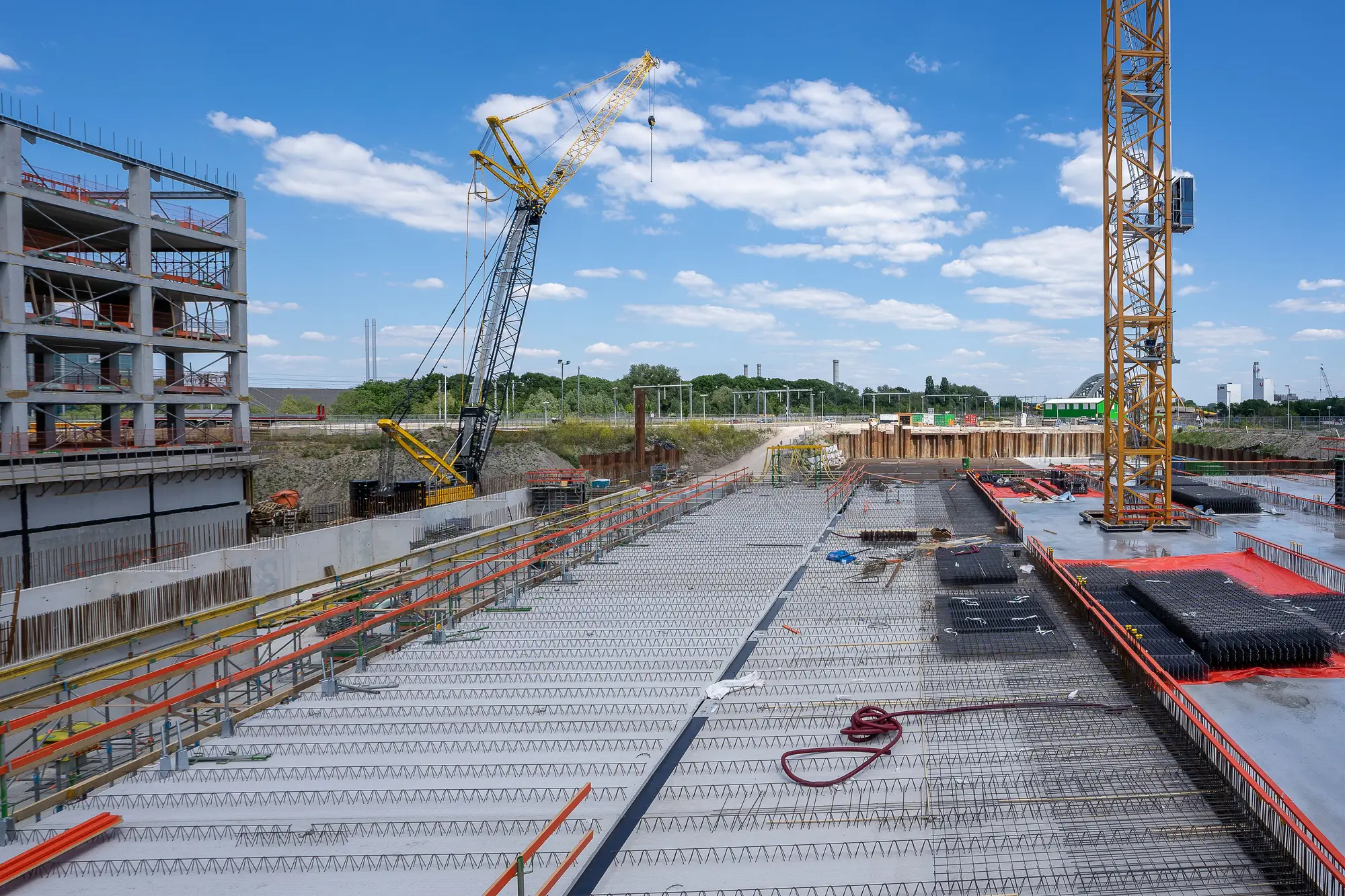
Meanwhile the site itself has been changing for months. The pad went in, the groundworks started, a substation compound appeared in the corner. None of that reached a portal, and all of it says where the job sits in the main contractor's package sequence.
The moment it costs you is the call where the package manager tells you the enquiry went out last month. Your sources trail the ground, and nothing in your diary can fix that. The portal entry, the award notice and the newsletter item all arrive after the pad is levelled and the groundworks contractor is on site. A chase that starts at the consent can start late for a power or cooling package.
Data Centre Build Watch adds the ground to your list: a monthly read of what is visible on each site, so you can make the call to the contractor with the stage of the build in front of you.
What the pilot delivers
2.1Stage card
Stage progress
A per-site card, monthly, showing what is visible from above: pad, substructure, shell, substation, cooling plant. Each stage is marked as not started, under way or in place. The card is meant to sit against the account in your CRM.
2.2Watch list
Portfolio watch
Your target list or region, tracked as a standing list. Add a site and it joins the monthly read. Sites drop off when you say so.
2.3Month-over-month trail
Change history
Each site keeps its trail of monthly cards, so you can see how the build has moved and what came up between one read and the next. A changed-since-last-month flag on the card tells you where to look first.
How it works
Hand over the list
Send the sites or region you want watched. A site can be an address, a set of coordinates or a boundary; a region is agreed with you.
Monthly pass
Each month the next available clear very high resolution pass over each site is used, from satellite or aerial imagery.
The read
Pad, structure, substation and cooling plant are classified for each site. Stages that a cloudy month hides carry over from the last clear read and are marked as carried over.
Delivery
You get a stage card for each site and the changed-since-last-month flag.
Where it fits in your work
Data Centre Build Watch feeds business development, not estimating. It tells you when to open a relationship, ahead of the tender stage where pricing happens. The stage read does not replace your planning-portal alerts or your trade press. It sits beside them and reports what those sources cannot, which is what is standing on the ground this month.
Limits
Watched sites only
This reads the sites on your list. It is not a census of every hyperscale project, and it says nothing about a site nobody has put on the watch list.
Monthly means the next clear pass
Cadence is a target. A cloudy month carries the last known stage forward and the card says so. A read is never older than the last clear pass.
What resolves from above
At 0.5 m or finer the pad, a shell going up, a substation compound and rooftop or yard cooling plant are large enough to tell apart. Interior work, cabling, pipework under cover and anything inside a finished building cannot be seen at any resolution from overhead imagery.
Build-out only
The read stops at the shell and its plant. It does not detect fit-out, tenancy or whether a hall is live. It gives no capacity, no megawatt figure and no view on when a site will energise.
Progress is not a schedule
The card records what is visible this month. It does not forecast the main contractor's programme or the date a package goes to enquiry.
Who it's for
- Business development leads at power, cooling and civils subcontractors who want to reach main contractors before the packages are priced.
- Teams running a fixed target list of hyperscale and big-box sites and wanting a standing read on each.
Who it's not for
- Teams that need capacity, power load or megawatt figures for a site.
- Teams looking for a complete database of every project in a market.
- Estimators wanting quantities or take-offs to price a package.
- Buyers tracking fit-out, tenancy or go-live.
Questions from bid teams
Do you cover every hyperscale project?
No. Only the sites you put on the watch list, and only what shows from above.
How current is monthly?
It is the next available clear pass over each site. Some months will be later than others, and a cloudy month carries the last stage forward.
Do you estimate capacity?
No. The read is construction progress only. There are no megawatt or power figures.
What about sites already under roof?
Out of scope. This watches the build-out, not operations.
How do we check it against what we know?
Pick a few sites where your team already has a contact or a site visit on record and compare the stage card with what you know. Tell us which ones when the list is scoped and we will read those first.
Can it feed our CRM?
The stage card and the watch list are meant to be logged against the account. Tell us how your team keeps its target list and we will confirm what format suits it.
Who owns the reads, and what about the imagery?
Ownership and use terms for the delivered cards are set in the contract before the pilot starts. The imagery sources keep their own licences.
How is a pilot priced?
The pilot is scoped and quoted on its own: number of sites or the region, and how long it runs. You get a written scope to take through your own approvals.